
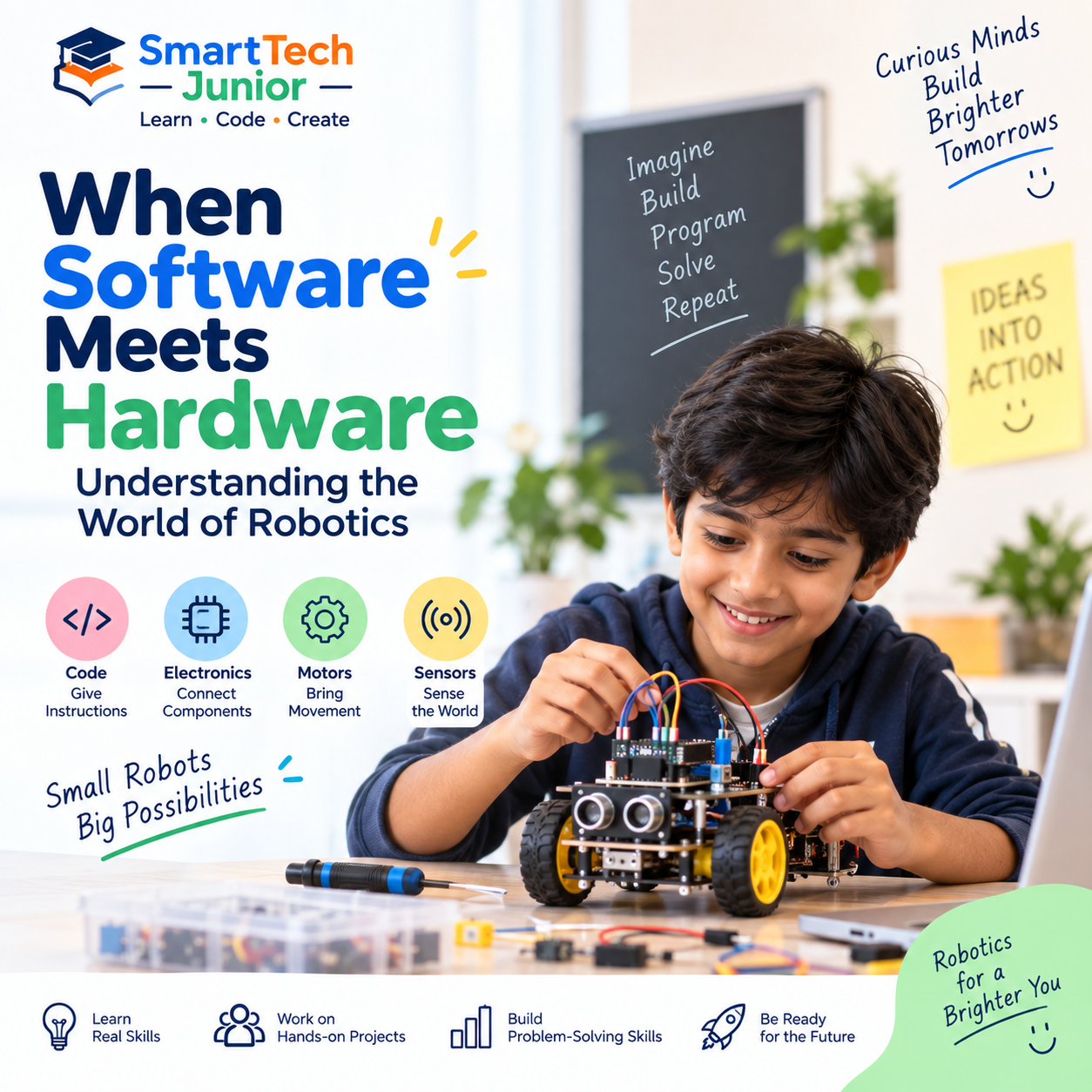
When Software Meets Hardware: Understanding the World of Robotics
A robot may look like a machine, but behind every movement is a combination of hardware, software, and instructions.
Robotics brings programming and engineering together to create machines that can sense their surroundings, make decisions, and perform tasks.
For children, robotics provides a hands-on way to understand how technology works in the physical world.
What Is Robotics?
Robotics is a field that combines different areas of technology to design, build, and program robots.
A typical robotics project can involve:
- Programming
- Electronics
- Sensors
- Motors
- Mechanical components
- Problem-solving
- Engineering
The interesting part is how all these components work together to make a robot perform a task.
Software Gives Instructions
Hardware provides the physical components, but software tells the robot what to do.
A program can contain instructions such as:
If an obstacle is detected → stop.
If a sensor detects a line → move forward.
If a button is pressed → perform an action.
This is where programming becomes an important part of robotics.
Students can see their code produce a physical result, making programming much more interactive.
Hardware Makes Actions Possible
Hardware includes the physical components that allow a robot to sense and interact with its environment.
Some common components include:
Sensors
Sensors allow robots to collect information.
For example, a sensor can detect:
- Distance
- Light
- Sound
- Temperature
- Movement
- Obstacles
Motors
Motors allow robots to move.
Depending on the project, motors can control wheels, arms, wheels, or other moving components.
Controllers
A controller or microcontroller can act as the central system that receives information from sensors and executes programmed instructions.
Together, these components allow a robot to respond to its surroundings.
How Software and Hardware Work Together
Consider a simple obstacle-avoiding robot.
The process could look like this:
Sensor → Detect obstacle → Program processes information → Motor receives instruction → Robot changes direction
The sensor provides information.
The program decides what should happen.
The motor carries out the action.
This simple process demonstrates one of the fundamental ideas behind robotics: software controls hardware based on information from the environment.
Robotics Makes Coding More Tangible
When children learn programming on a computer, the result usually appears on a screen.
Robotics provides a different experience.
A student writes code and then watches a physical machine respond.
If the robot moves incorrectly, the student can investigate whether the problem comes from the code, sensor, wiring, or design.
This creates a practical connection between programming concepts and real-world outcomes.
Learning Through Experimentation
Robotics naturally encourages experimentation.
A student might ask:
- What happens if I change the speed?
- Can the robot detect an obstacle earlier?
- Can I make it follow a different path?
- Can I improve its movement?
- What happens if I change the program?
There may be several ways to approach a problem, encouraging students to test and improve their ideas.
Building Problem-Solving Skills
Robotics projects rarely work perfectly on the first attempt.
Students may encounter programming errors, sensor problems, connection issues, or unexpected movements.
Finding the cause requires observation and logical thinking.
Students learn to:
Identify → Analyze → Test → Fix → Improve
This process can strengthen problem-solving and persistence.
Robotics Combines Multiple Subjects
One reason robotics is valuable for young learners is that it connects multiple areas of education.
It can bring together:
- Science – understanding physical systems
- Technology – using digital tools
- Engineering – designing and building
- Mathematics – working with measurements and logic
- Programming – controlling the system
This makes robotics a natural example of STEM learning in action.
What Can Young Learners Build?
Robotics projects can begin with simple ideas and become more advanced as students gain experience.
Examples include:
- Line-following robots
- Obstacle-avoiding robots
- Sensor-based projects
- Automated systems
- Smart vehicles
- Robotic arms
- Interactive robots
The complexity of the project can grow alongside the student's understanding.
Robotics and Creativity
Robotics isn't only about following instructions.
Students can design their own solutions.
They can decide how a robot should move, what task it should perform, and how its system should respond to different situations.
This gives children an opportunity to combine engineering with creativity.
Learning Robotics at SmartTech Junior
At SmartTech Junior, robotics can provide children with opportunities to explore programming and technology through hands-on projects.
Students can learn how software interacts with physical components while experimenting with sensors, motors, and robotic systems.
Rather than only learning concepts theoretically, project-based activities allow students to build, test, troubleshoot, and improve their creations.
Where Can Robotics Lead?
Robotics can introduce children to a wide range of technology fields.
As they progress, they may become interested in areas such as:
- Robotics Engineering
- Software Development
- Artificial Intelligence
- Automation
- Electronics
- Mechanical Engineering
- Embedded Systems
Early exposure doesn't mean children need to choose a career immediately. It simply gives them an opportunity to discover what interests them.
Conclusion
Robotics demonstrates what happens when software meets the physical world.
Sensors collect information, programs process instructions, controllers coordinate actions, and motors or other components perform the required tasks.
For young learners, this creates an exciting environment where coding becomes something they can see, test, and experience.
With hands-on projects and the right guidance, robotics can help children move from simply learning about technology to building and controlling it themselves.